
Graphic Tablets: Precision Digital Canvases For Effortless Creativity
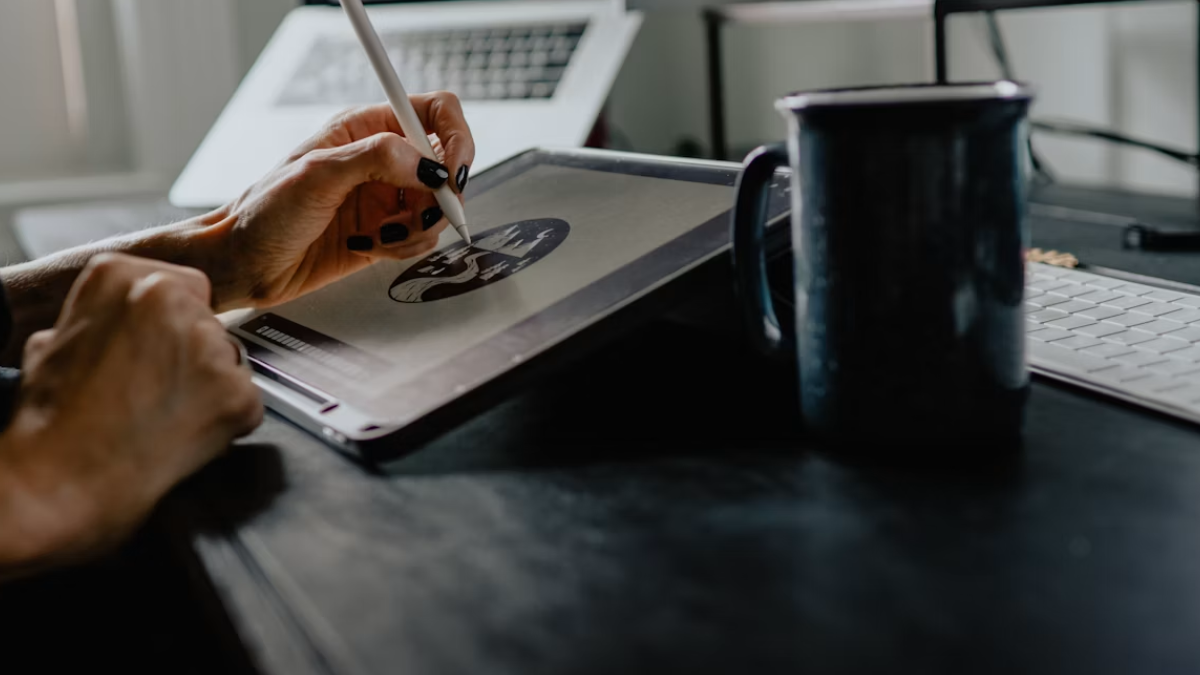
Whether you are a student or an artist, laptops or computers somehow limit your creativity and work. They don't offer you the smoothness, convenience, and portability that a graphic tablet can. Recently popular in the market, these devices come with a pen that offers you precise and natural control and pressure sensitivity that a computer mouse cannot match. Whether you want to create digital art, edit photos, sculpt 3D models, or take handwritten notes, this gadget allows you to do it all effortlessly. These devices allow you to move your hand like you are using a real pencil while reducing the wrist strain that is caused by using a mouse for a long time. This guide breaks down the high-quality models to help you find the best graphic tablet that can become your ideal partners in the journey of creation.
Explore more deals on Flipkart.
Which Graphic Tablet Is An Ideal Choice For You?
- Entry-Level Drawing Tablets: If you are a beginner who is starting their journey of digital art, these models are an ideal choice for you. Featuring budget-friendly price tags, they are lightweight, easy to set up, and come with all the basic features.
- Screen-Based Tablets: Featuring a built-in display, these devices allow you to draw directly on the screen. Perfect for working on detailed projects, they are ideal for professionals who demand accuracy.
- Wireless Drawing Tablets: If you are looking for seamless portability, then you can go for these models. They are perfect for creators who want the freedom to work anywhere, as they don't come with messy wires.
XP Pen Deco 640 Graphics Drawing Tablet
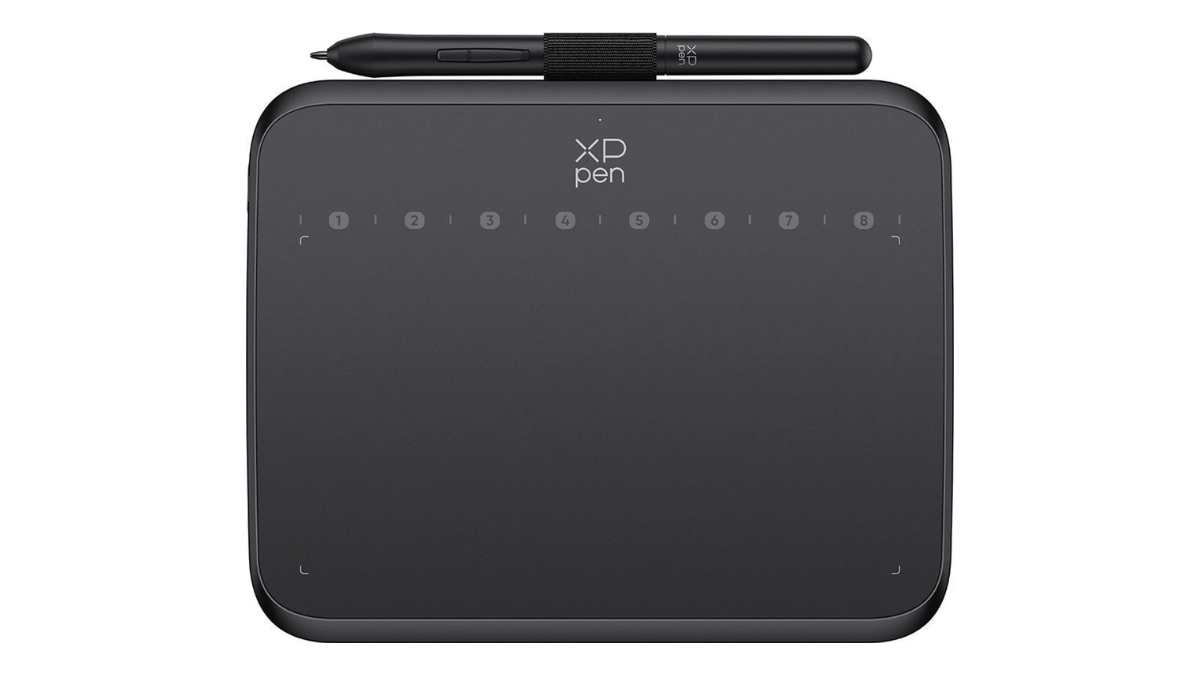

XP Pen Drawing Pen Tablet Deco 640 6 x 4 inch Graphics Tablet Connectivity - USB(Black)
Whether you are a mentor teaching online or a student taking notes, the XP Pen Deco 640 graphics tablet allows you to effortlessly do it all. Supporting 16384 levels of pressure sensitivity, it allows for feather-light strokes. The tablet comes with a 1.5X faster stylus, which is 20 per cent more accurate and operates with an initial activation force (IAF) of just 3 grams. The lightweight design makes it a comfortable canvas to create on, while the compatibility with all writing software like MS Teams, Word, PowerPoint, Zoom, and more offers added convenience, making it one of the best-rated drawing tablets. Thanks to the support of all design software, Deco 640 is also suitable for drawing, sketching, illustration, and animation. The stylus offers advanced features like good battery backup, 60 degrees tilt support, anti-shake function, and automatic line correction for an enhanced drawing experience. Additionally, it comes with 8 customizable shortcut keys for personalised workflow efficiency.
Specifications:
- Connectivity Technology: USB
- Pressure Sensitivity: 16384 Levels
- Operating System: Android 10.0 or above, Chrome OS 88
- Special Features: 60° Tilt Support
- Colour: Black
- Size: Small
- Screen Size: 16cm x 9cm
- Input Resolution: 5080 LPI
Pros:
- Smooth surface to draw on.
- Good value for money.
- Excellent pressure sensitivity.
- Good build quality.
Cons:
N.A
XP-Pen Star03 V2 Graphics Drawing Tablet
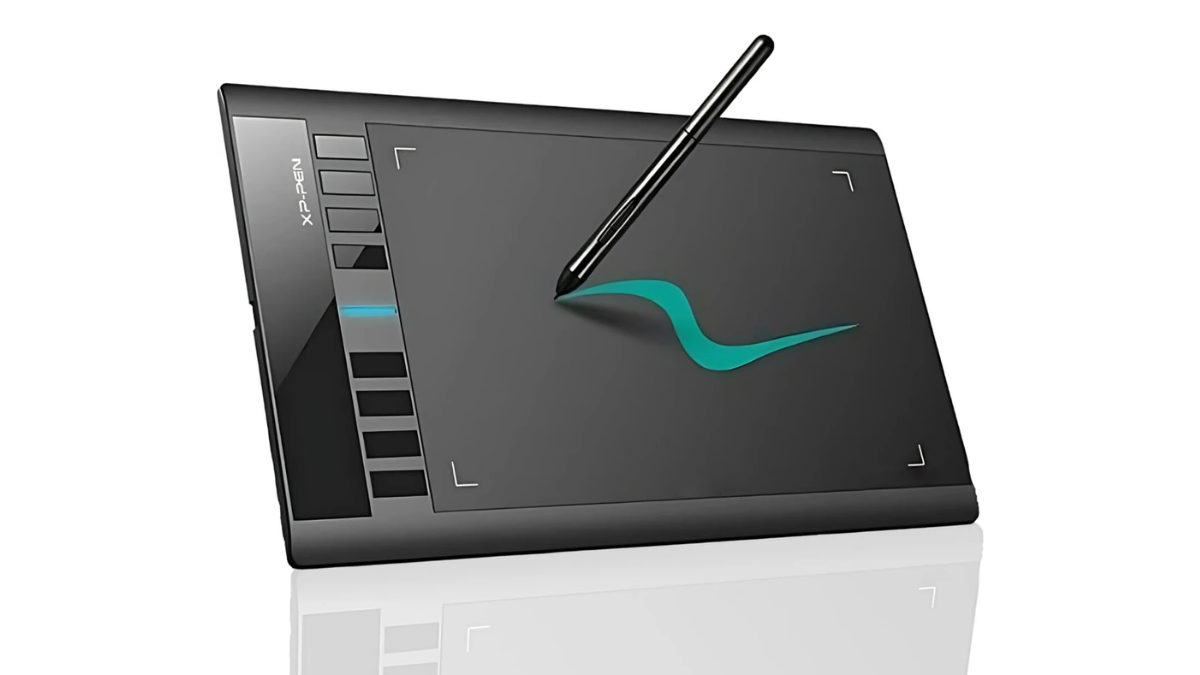
If you are looking for the top tablet with pen, you might want to consider the XP Pen Star03 V2 that offers you a large active area of 10 x 6 inches to unleash your creativity. It offers you enough space for both writing and drawing. With a pressure sensitivity of 8192 levels, its P01 stylus offers a real pen-on-paper feel. It features a battery-free design, ensuring uninterrupted usage, supports s 60 degrees of tilt, and is also equipped with automatic line correction and an intelligent anti-shake function to create a great drawing experience. For added convenience for users, the tablet features 8 customisable shortcut keys, and the stylus comes with a one-click toggle. The XP-Pen Star03 supports all software design for seamless work, and it is perfect for teaching online, note-taking, annotations, digital signatures, and more. Additionally, for the user's peace of mind, this device is secured by a one-year warranty.
Specifications:
- Connectivity Technology: USB
- Pressure Sensitivity: 8192 Levels
- Operating System: Mac OS, Windows
- Special Features: Battery-free Stylus
- Colour: Black
- Size: Medium
- Screen Size: 10 x 6 Inch
Pros:
- Good value for money.
- Reliable stylus.
- Smooth performance for both writing and drawing.
Cons:
N.A
XP Pen StarG430S Graphic Pen Tablet
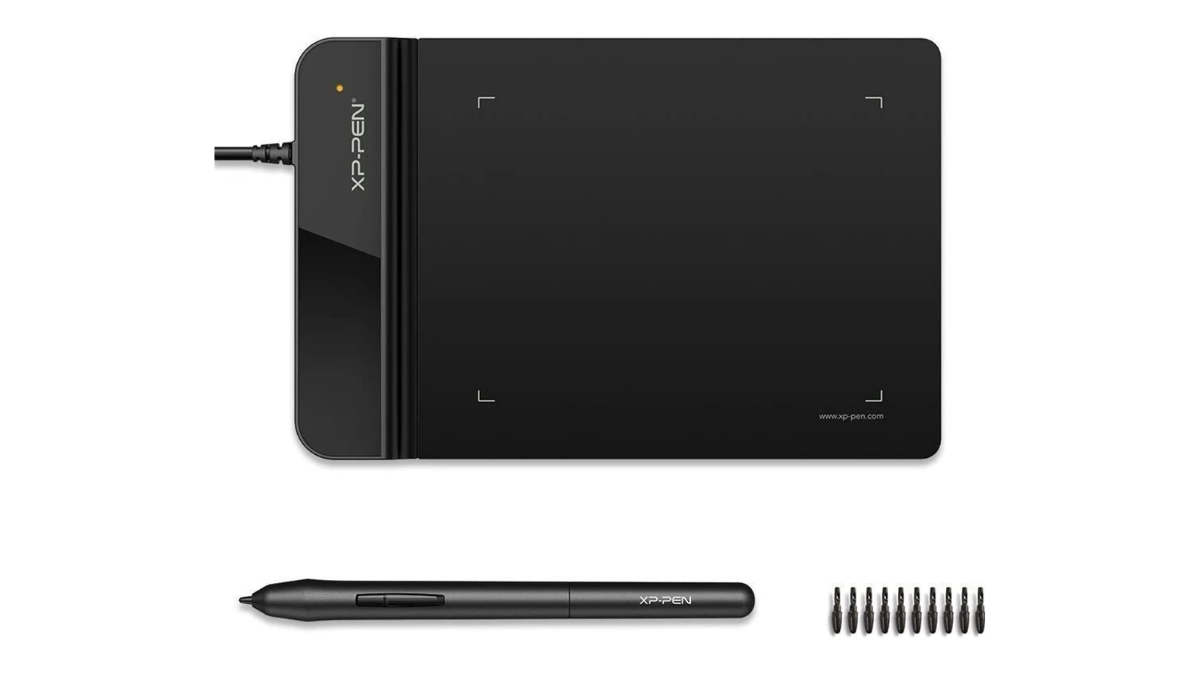
XP Pen Star G430S 4 x 3 inch Graphics Tablet Connectivity - USB(Black)
XP Pen StarG430S graphic pen tablet, featuring a compact design, offers both portability and powerful performance. It is a comfortable canvas to create on and a good alternative to a mouse. Whether you want to teach online or take notes, this device allows you to do it all effortlessly. It is compatible with all writing software like MS Teams, Word, PowerPoint, Zoom and more. With 8192 levels of pen pressure sensitivity, it allows you to create smoothly and gives you a real pen-on-paper feel. For added convenience and uninterrupted usage, this stylus is battery-free, and it comes with a one-click toggle function. Supporting 60 degrees of tilt, the pen also features automatic line correction and an intelligent anti-shake function. The Type-B input design ensures seamless connectivity, while the wide software compatibility makes it perfect for seamless work. Additionally, for the user's peace of mind, it is secured by a one-year warranty.
Specifications:
- Connectivity Technology: USB
- Pressure Sensitivity: 8192 Levels
- Operating System: Mac OS, Windows
- Special Features: 60° Tilt Support
- Colour: Black
- Size: Medium
- Screen Size: 4 x 3 Inch
Pros:
- Good value for money.
- Smooth and reliable performance.
- Easy to use.
Cons:
N.A
HUION Inspiroy 2L Graphics Tablet
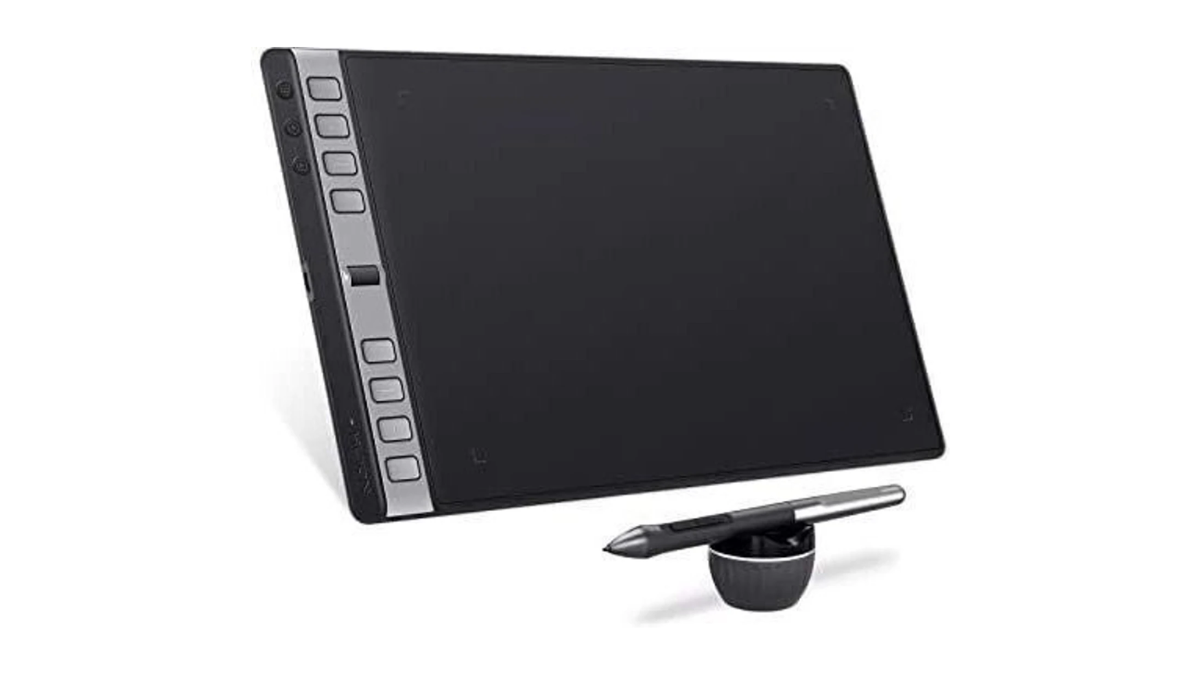
HUION Inspiroy 2L 10x6" Drawing Tablet, Battery-Free Stylus 10.5 x 6.56 inch Graphics Tablet Connectivity - USB (Black)
For people seeking the best graphic tablet, they might want to consider the Huion 2L. Offering a high-resolution workspace with 5080 LPI, this device gives you detailed images to work on. Its sensitive stylus allows for precise drawing and fluid brush strokes. The 8192-level pressure sensitivity ensures precise control, while the 60-degree tilt function allows for realistic brush strokes. The tablet is compatible with a wide range of software for added convenience. The stylus of this device uses the innovative pressure-sensitive technology that allows you to easily adjust the thickness and opacity of the strokes. The tablet features 8 programmable keys and a touch strip for quick access to tools, improving workflow and productivity. Further, these keys can also be customised, ensuring a tailored experience. The lightweight design allows you to easily carry it from one place to another. Additionally, for the user's peace of mind, this device is secured by a one-year warranty.
Specifications:
- Connectivity Technology: USB
- Pressure Sensitivity: 8192 Levels
- Operating System: Windows 7, macOS 10.12 Sierra
- Special Features: Battery-free Stylus
- Colour: Black
- Size: Big
- Screen Size: 10.5 x 6.56 inches
Pros:
- Good value for money.
- Efficient and reliable performance.
- Suitable for students.
Cons:
- Fast battery consumption.
XP Pen Deco Fun S Graphic Tablet
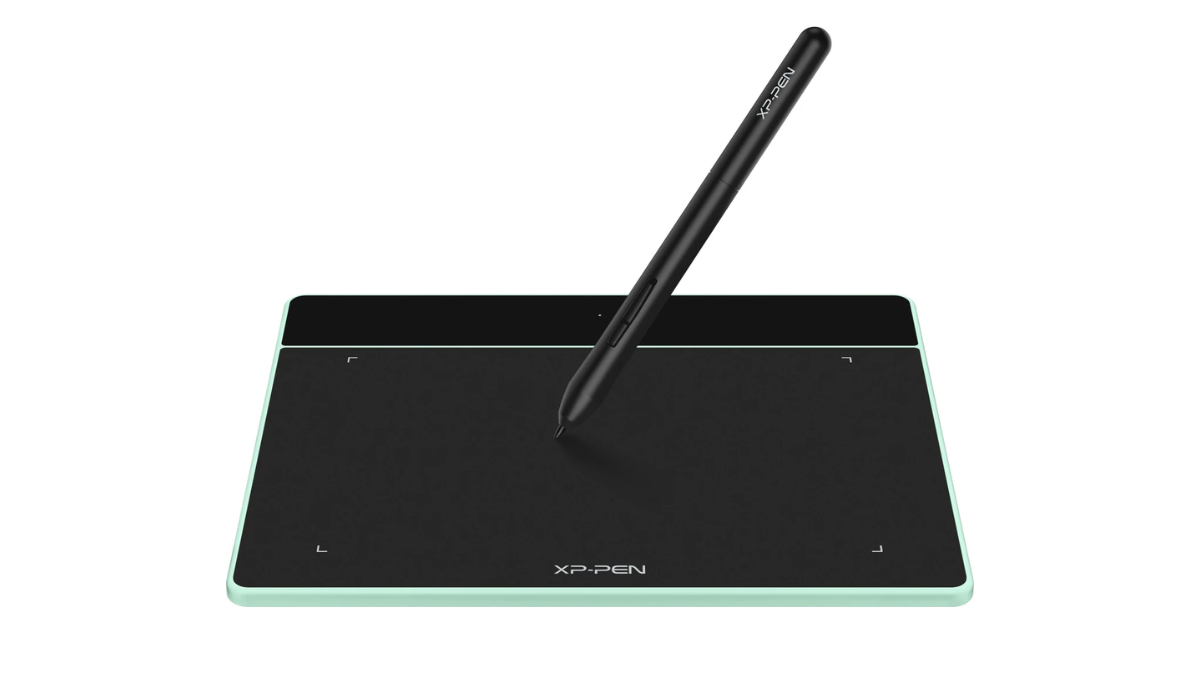
The compact design of the XP Pen Deco Fun S graphic tablet offers seamless portability while delivering excellent performance. Whether you are an artist starting your digital journey or a student looking for a device to take notes, this tablet can be your ideal choice. Featuring 8192 levels of pen pressure sensitivity, it allows you to create variations in line width and opacity. The battery-free design of the stylus allows for uninterrupted usage, while the easy plug-and-play design of the tablet ensures added convenience. Deco Fun S is compatible with Windows 11/10/8/7, MacOS X 10.10 (or higher), Linux and Android 6.0 (or higher). It is software neutral that means it works seamlessly with all design software like AdobeCC, Krita, Corel, and more. Its stylus supports 60 degrees of tilt and comes with line correction and an intelligent anti-shake function. Additionally, for the user's peace of mind and security, it comes with a one-year warranty against manufacturing defects.
Specifications:
- Connectivity Technology: USB
- Pressure Sensitivity: 8192 Levels
- Operating System: Windows 7/8/10, Mac OS X 10.10
- Special Features: 60° Tilt Support
- Colour: Black and Green
- Size: Small
- Screen Size: 6 x 4 Inch
Pros:
- Good choice for students.
- Good value for money.
- Easy to use.
Cons:
N.A
Read More: Best Tablets With Above 10-inch Screen Size.
Conclusion
In this digital landscape, graphic tablets have become important devices that have transformed the way creativity flows. They have done so by offering precision, portability, and effortless control for artists and designers. These devices empower people to sketch, paint, and design easily and with accuracy. In this article, we have picked five of these products, most of them suitable for students and beginners. So if you are a professional writer looking for more advanced features, you can find a range of graphic tablets online. You can compare and choose the one that truly caters to your needs.
Graphic Tablets: Precision Digital Canvases For Effortless Creativity
| Product | Price in India |
|---|---|
| XP Pen Drawing Pen Tablet Deco 640 6 x 4 inch Graphics Tablet Connectivity - USB(Black) | ₹ 2,999 |
| XP PEN Star 03 V2 10 x 6 inch Graphics Tablet(Black) | ₹ 4,495 |
| XP Pen Star G430S 4 x 3 inch Graphics Tablet Connectivity - USB(Black) | ₹ 1,999 |
| HUION Inspiroy 2L 10x6" Drawing Tablet, Battery-Free Stylus 10.5 x 6.56 inch Graphics Tablet Connectivity - USB (Black) | ₹ 6,559 |
Samiya Khan is an emerging content writer with a keen eye for detail and a passion for storytelling. With a focus on creating engaging and accessible content, she specializes in breaking down complex topics into relatable narratives. Since starting her writing journey, Samiya has dedicated herself to helping audiences navigate new trends with clarity and a fresh, modern voice.